Practical Example of AWS Identity Center (SSO) Setup
Passionate DevOps/Cloud/Database Architect with a proven track record in automation, cloud optimization, and Database management. Experienced in IT , I specialize in designing and implementing CI/CD pipelines, automating deployments, and leveraging cloud technologies to build scalable, secure, and high-performing infrastructures. Seeking opportunities to drive innovation and efficiency in modern software development environments.
Introduction
AWS Identity Center (formerly AWS SSO) allows users to securely access multiple AWS accounts and integrated applications using a single sign-on (SSO) portal. To use Identity Center, an AWS Organization must be configured.
With AWS SSO, users can log in once and access multiple accounts or applications without needing separate credentials.
Choosing an Identity Provider
When setting up AWS Identity Center, you need to select an identity provider (IdP). AWS offers two options:
Built-in AWS Identity Store (default).
External Identity Provider (IdP) (e.g., Active Directory, Okta, or Azure AD).
In this example, we will use the AWS-provided Identity Store.
Step-by-Step Setup
Step 1: Create a User and Assign to a Group
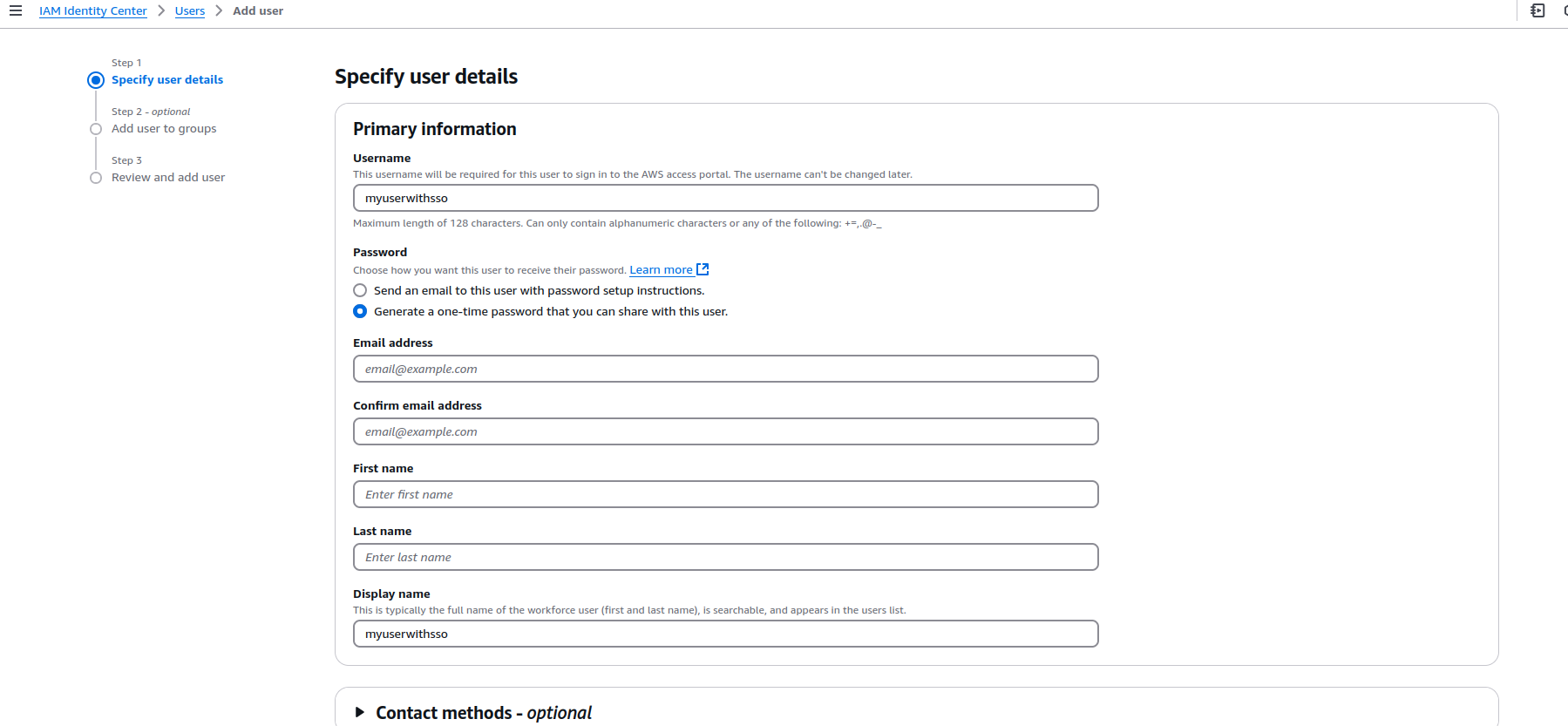
Navigate to AWS IAM Identity Center in the AWS Management Console.
Click "Users", then "Create User".
- Enter username, email, and password.
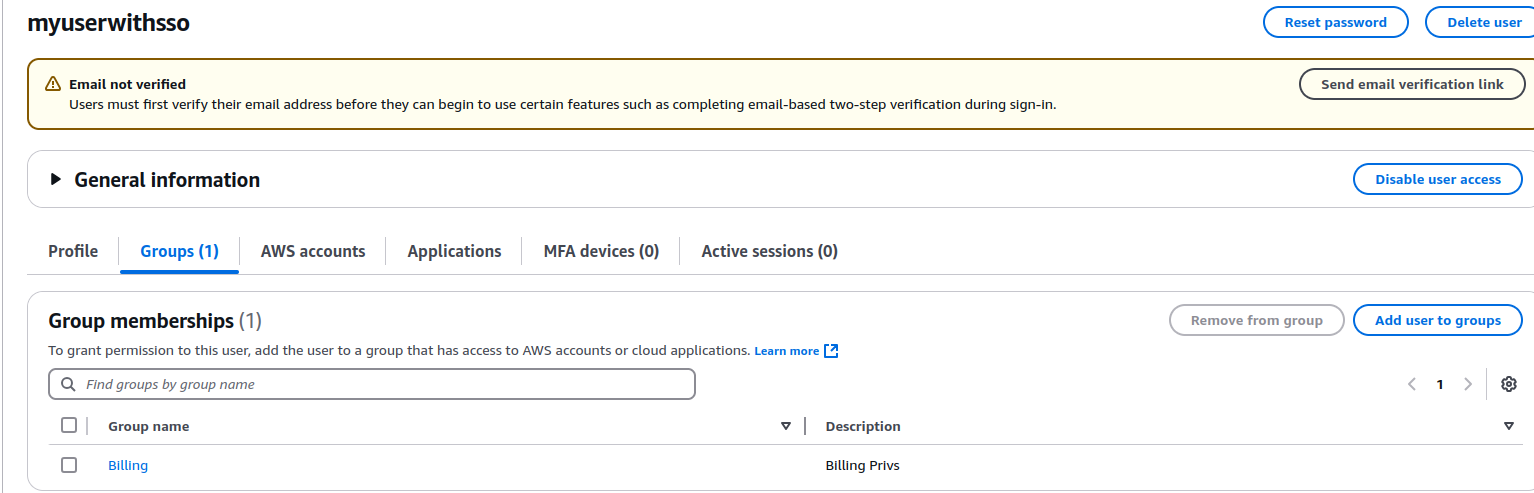
Click "Groups", then "Create Group".
Add the user to the newly created group.
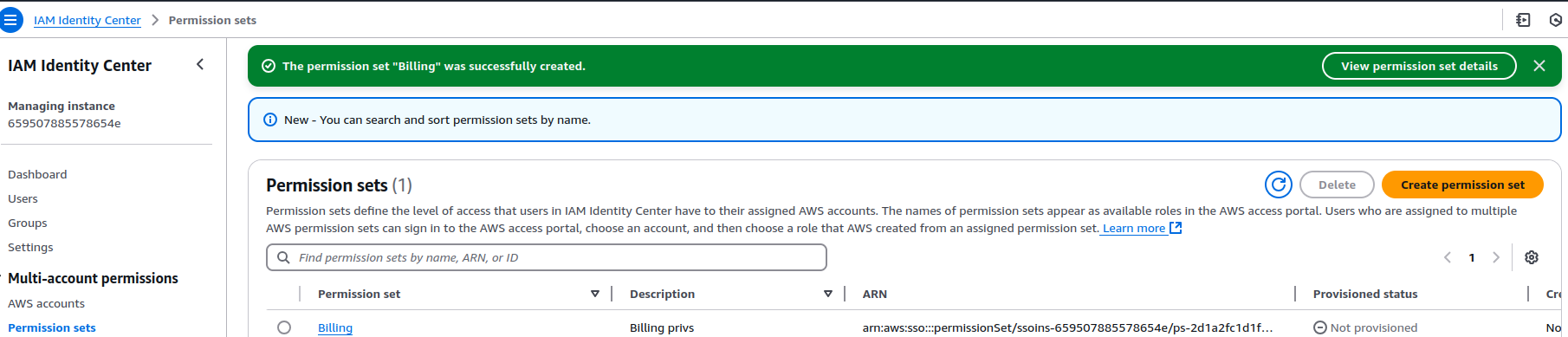
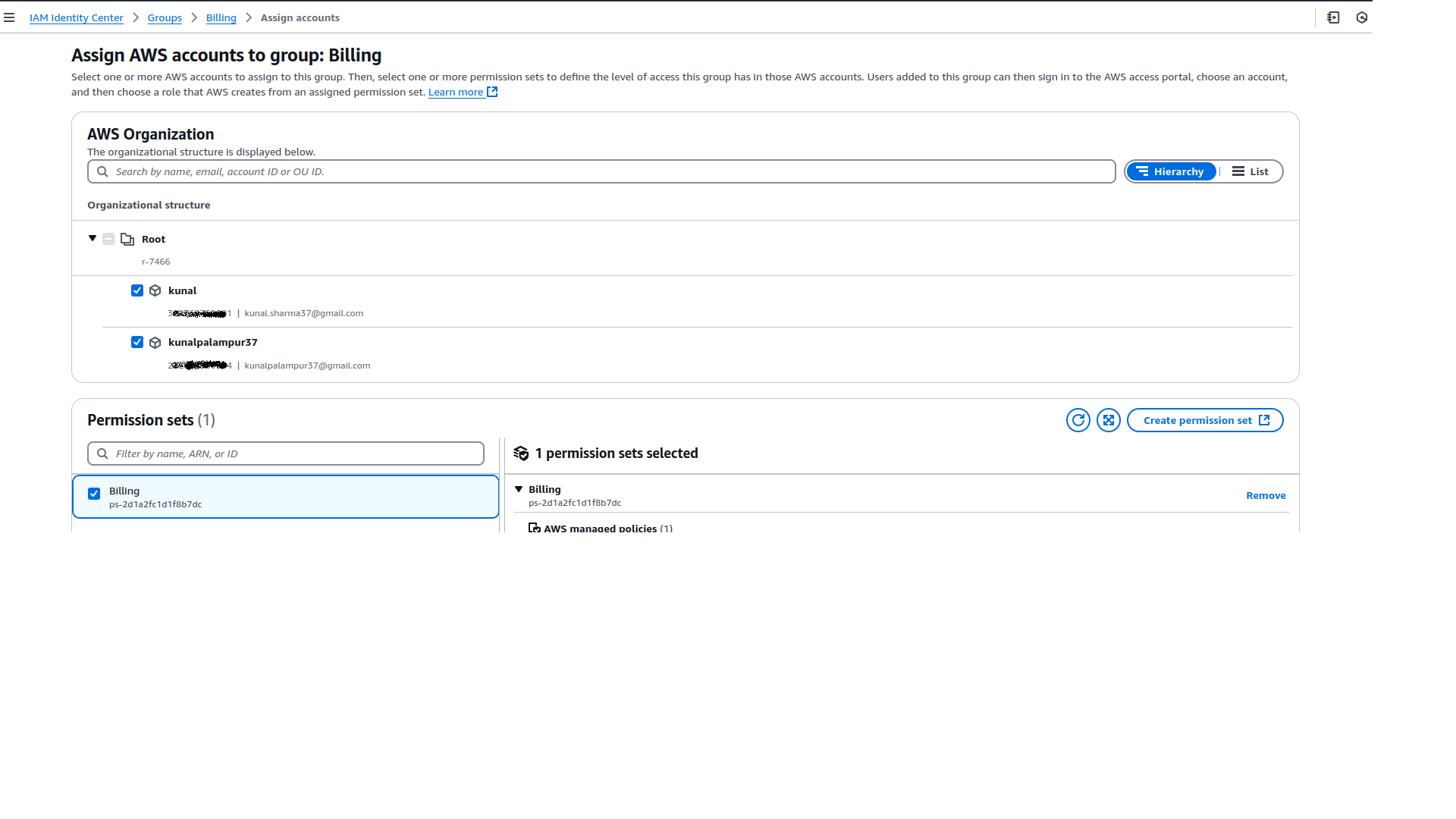
Step 2: Create and Assign Permission Sets
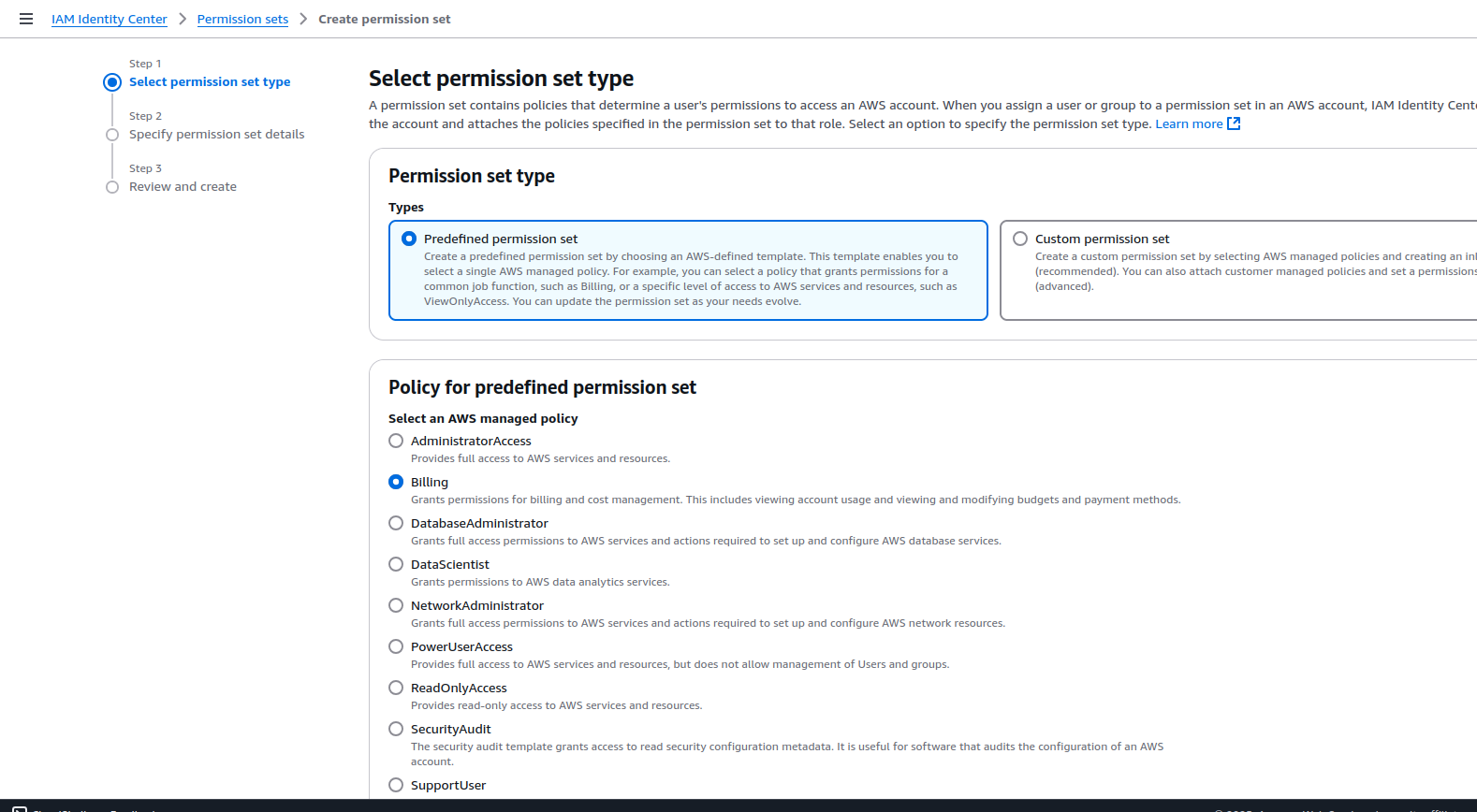
Go to Permission Sets in the Identity Center console.
Click "Create Permission Set" and choose:
Predefined AWS policies (e.g., Administrator, ReadOnly).
Custom permissions (based on IAM policies).
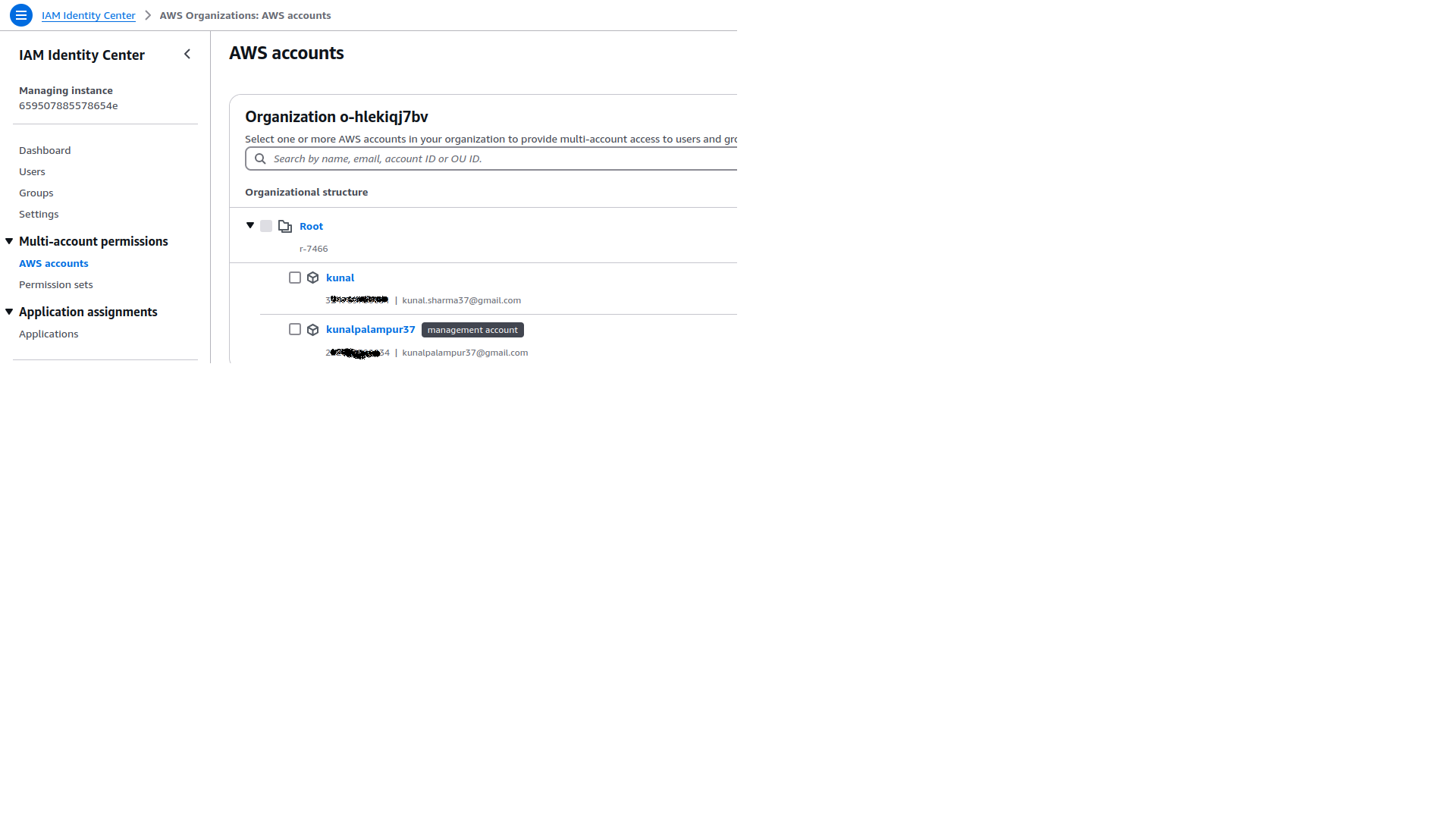
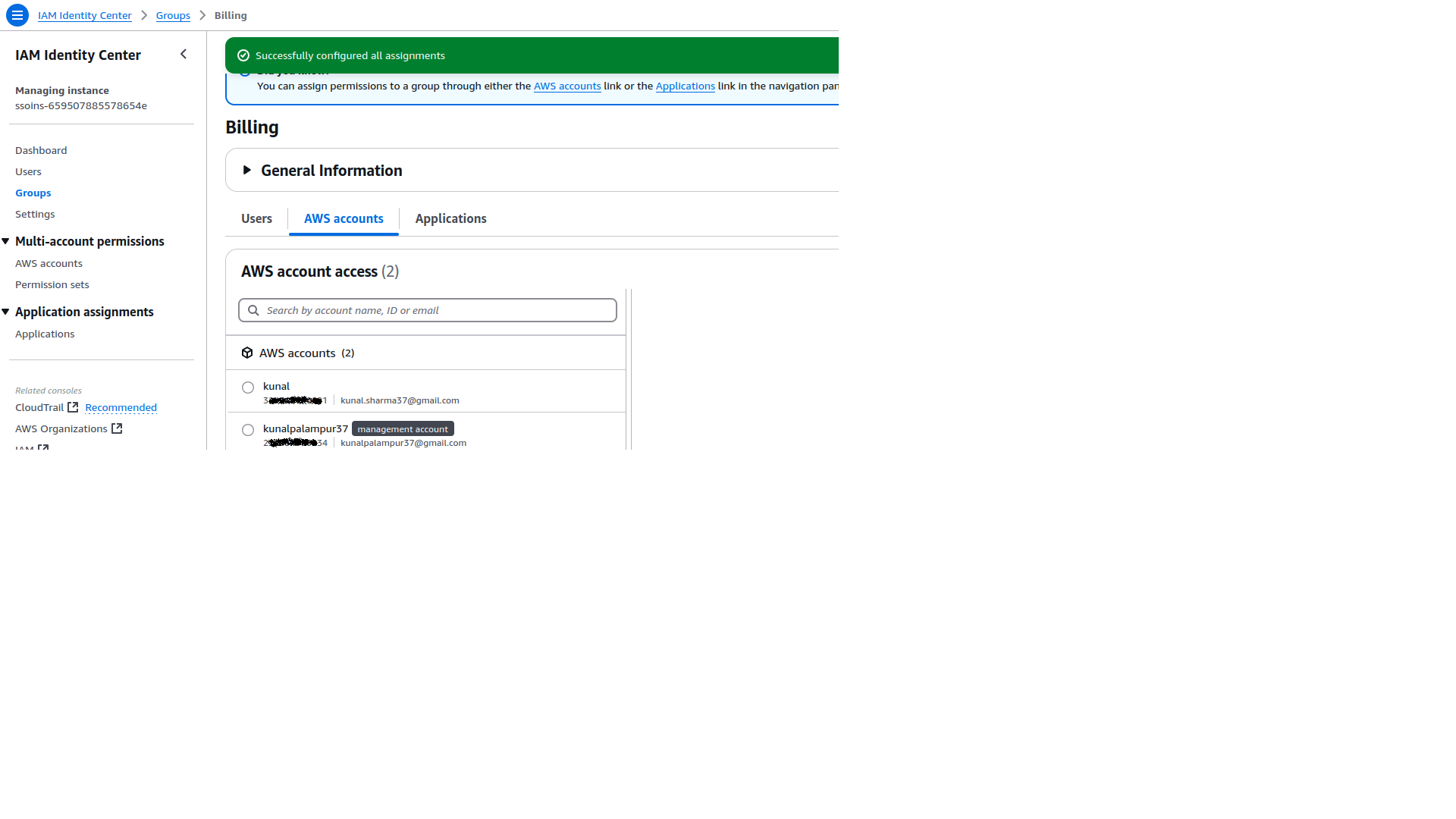
Assign the permission set to the group or specific AWS accounts.
Step 3: Access AWS Accounts via SSO
Open the AWS IAM Identity Center SSO Portal (provided in the setup).
Log in with the created user credentials.
Upon login, the user will see all assigned AWS accounts and their respective permissions.
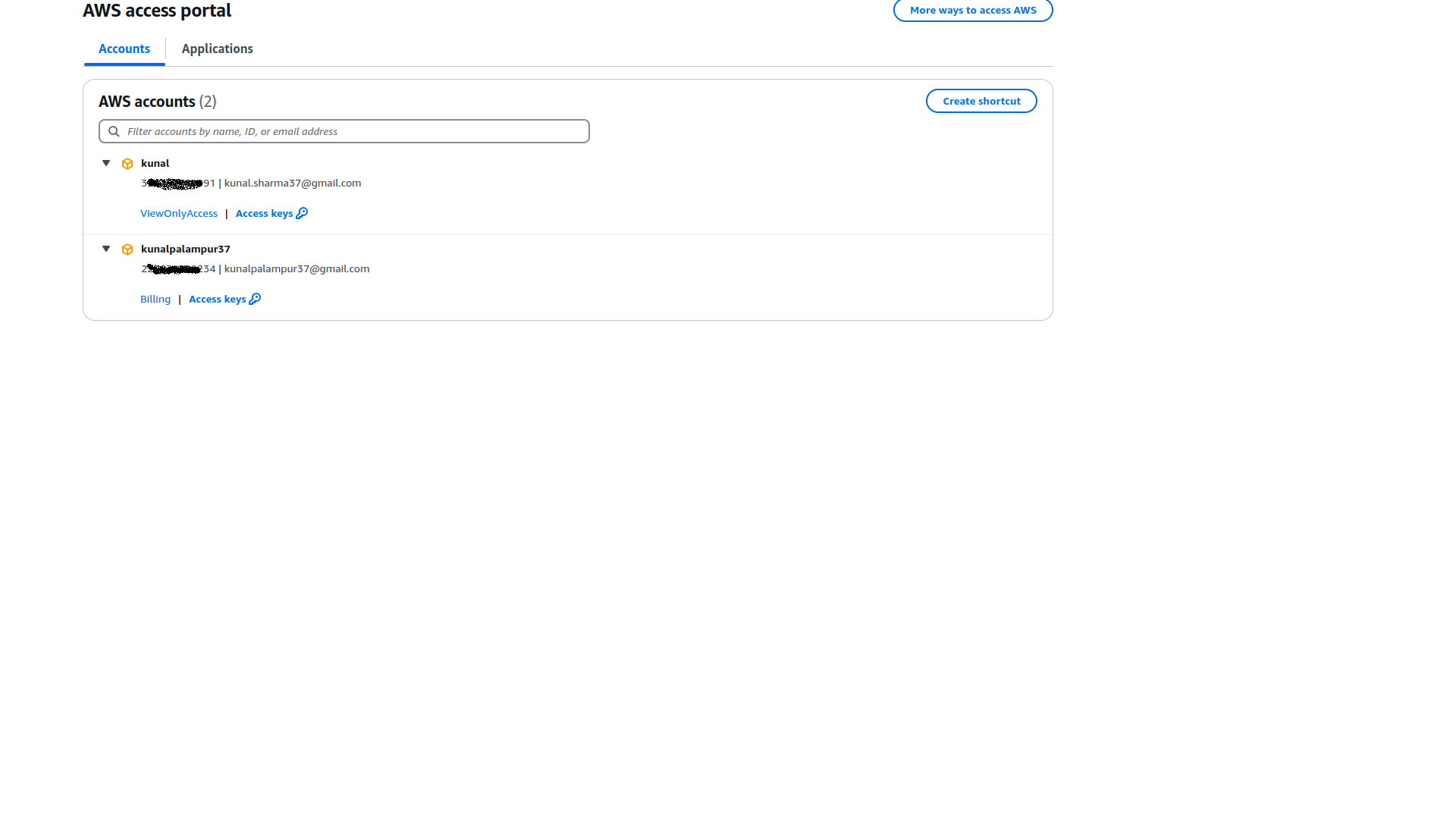
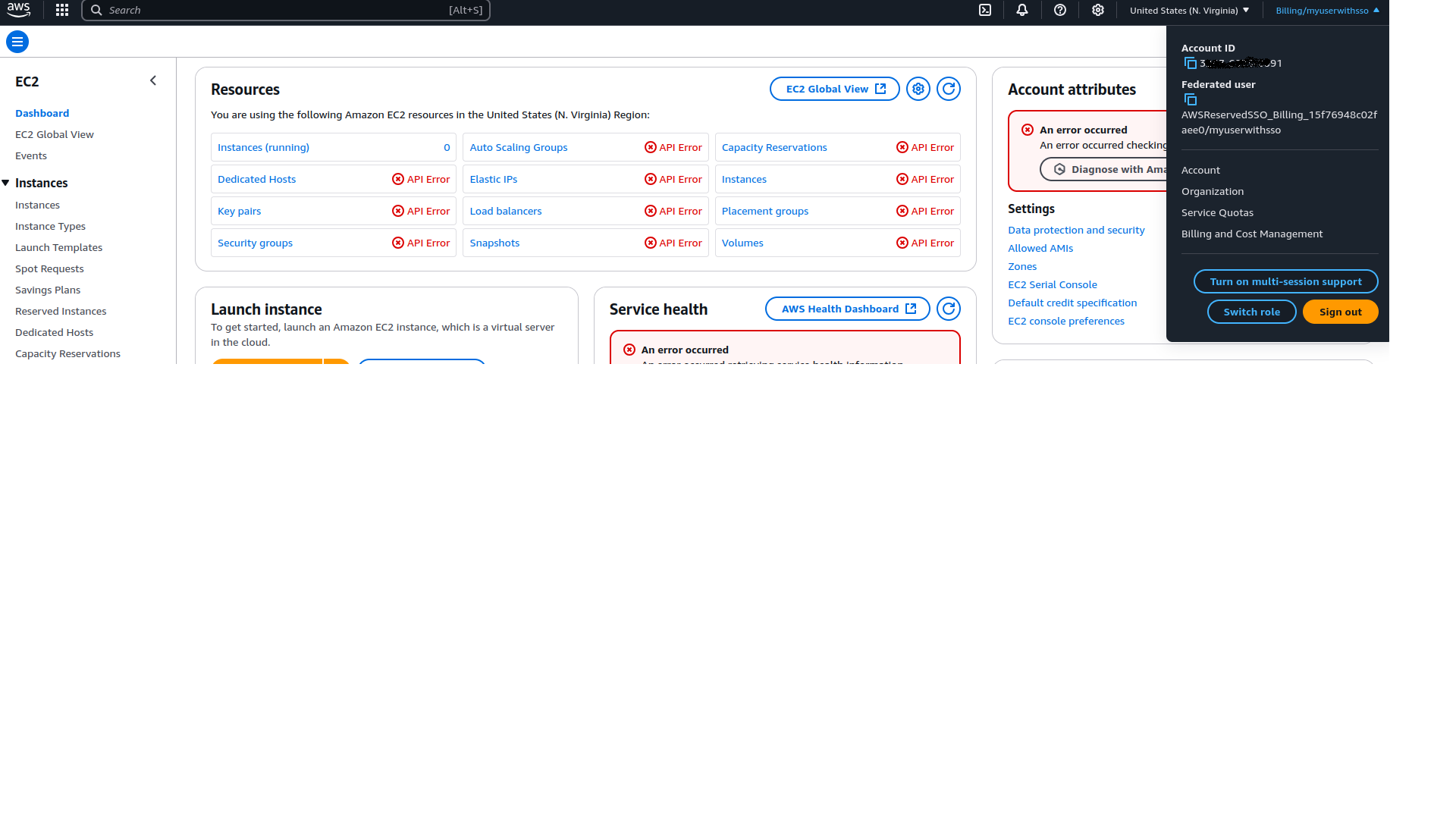
Login to account that have Billing Permission set assigned. This user is not able to see anything in the Ec2 dashboard
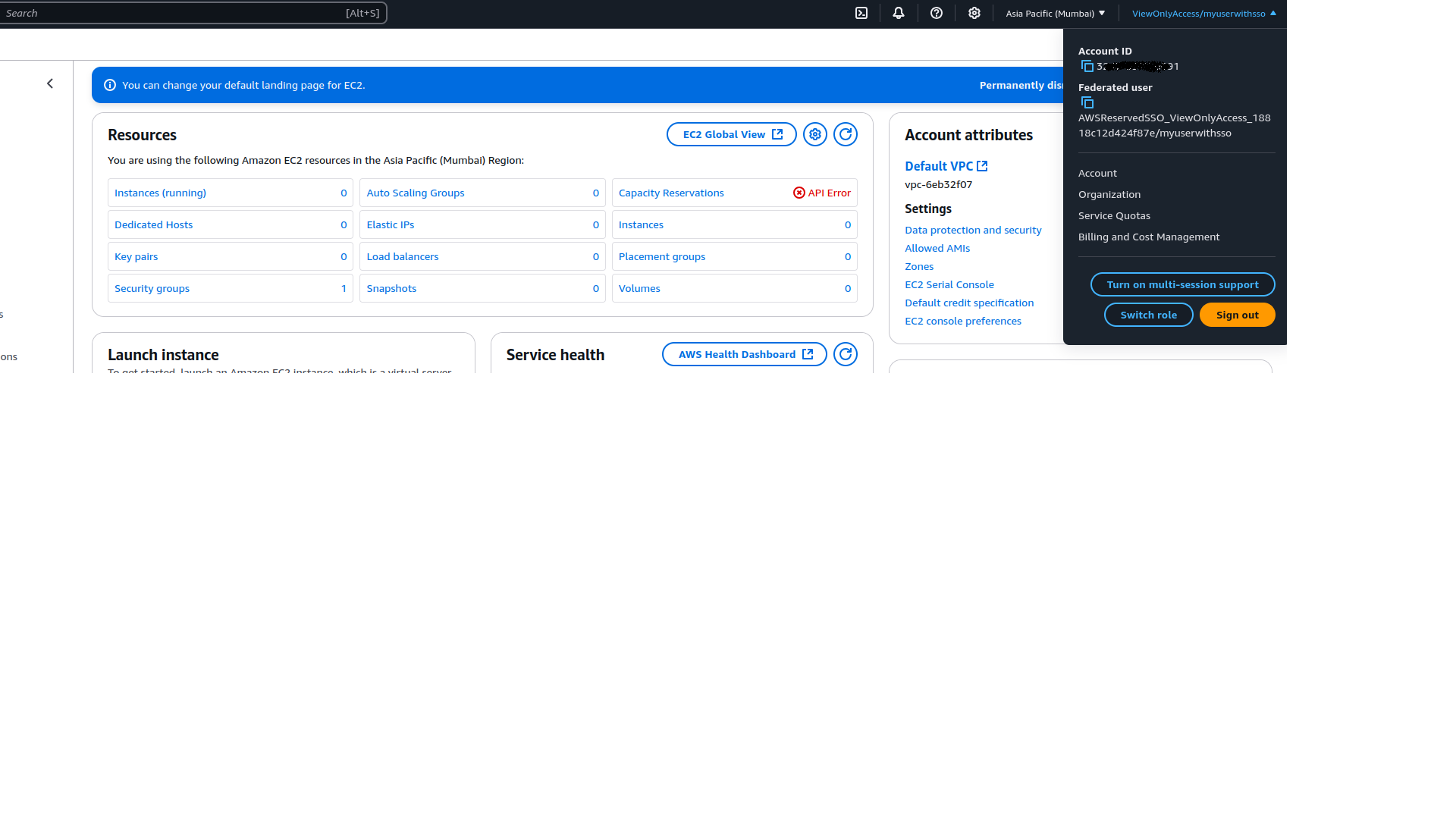
Login to the account which have ViewOnlyAccess. See it can see the EC2 dashboard portal
Conclusion
With AWS Identity Center, users can securely access multiple AWS accounts and applications through a single SSO portal. This improves security, reduces the need for multiple passwords, and simplifies access management.
